Posts

CCR Blog: The End Is Here!
Image
Our commercial challenges InkJoy's conventions with the placement of the pens. I could have been more careful with the angles and the placement of the product, as I was in charge of the set and props. For example, in the video, the pens are not all face up with the tips out. However, I spoke one of the other conventions, "drys three times faster than the leading competitors." I also implemented another big convention, the audio. I made sure to have a voiceover, as well as child-like upbeat, happy music. This audio was ultimately on theme with InkJoy, which I think was a good thing. The product represents social groups because the target audience was students and teachers. We had a set of a school and had actors who were students and administrators. My commercial showcases pens in use and why they are the best. My product engages with the audience because it is relatable. It shows actors who look like real people that use the pen. In a school environment, it is to connect ...

InkJoy Commercial

Image
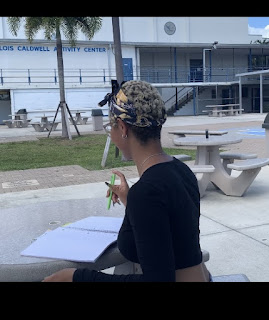
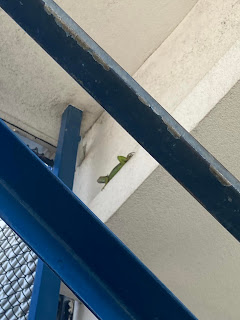
 I had so much fun filming this project with my group. I made so many new memories with old friends. I enjoyed getting to rekindle relationships with people I used to know. It was fun watching us all get distracted by a lizard. Or when we had one of our school's behavior admin be one of our actors. Even when I ran out to my car in a desperate time of need. It was an adventure learning how to make a commercial, but it got done. Getting the right angles and lighting to match up the transition was challenging but not more than editing. Editing was the most complicated school task I've done yet. But, I overcame, and my group pulled through so, I'm proud of the work we put out.

Editing Blog

Image
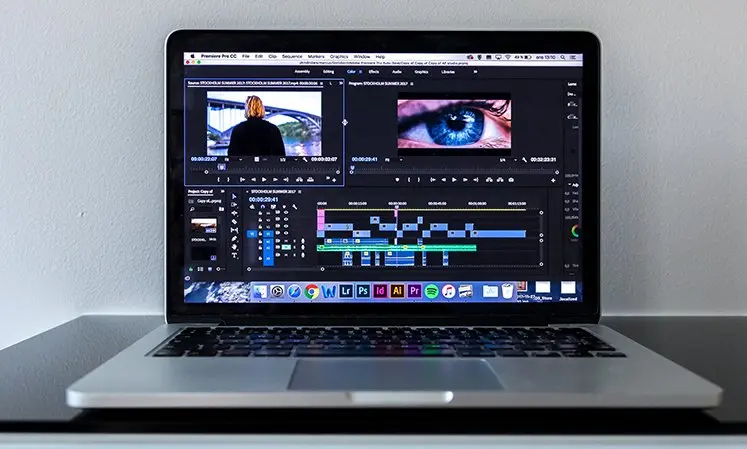
 Today I worked on editing the commercial. This proved to be more challenging than expected. The video's total time with all the clips was a minute and 57 seconds. The editor I had initially decided on would not work. I tried to download it onto my computer, and it would not. The software was not compatible with my Chromebook. So I tried downloading other apps, and none of them seemed to work. The few I did download needed subscriptions. This was super frustrating as I was so tired. I had just gotten done taking the PSAT. Also, I was one of the only people from my group there today, besides one other person. We had limited time in class, so I had to finish working after school. My main goal was to find proper editing software.  I had seen an ad for one called Cap Cut. It's a simple app, but it is doing the trick. I started by editing the clips down a speeding some of them up. Then I put them together in a video and started working on the sound. The videos all had to be muted. ...

Editing Blog: decisions, decisions!

Image
  Today I went through all the takes of each shot. There were close to 90 videos. I helped select the few that were going into the next stage of editing. I was struggling to load the videos because our school wifi was cutting in and out. I just got a new computer and had to see our head tech administrator. He had to change the settings on my computer to allow the connection. The wifi then finally connected to my personal computer. I then reviewed the videos further, frame by frame, to make sure the transitions would make sense after they were edited. And that it would look as seamless as possible. Now that the wifi had loaded,    I downloaded many different editing software to try them out. This was the most tedious task because many of them claimed to be free but required a subscription. A lot of them also put watermarks on the video, which looked awful.   I helped the group finally decided on one, which was DaVinci Resolve. After the software was picked, I dow...

Filming Blog: Conflict Arises

Image
 Today the group redid a few scenes and filmed the closing shot. I helped established the shots. It was tricky because I had to rewatch the other clips to ensure the camera person got the right angle. Luckily the weather was working with us as it does most days. I also re-decorated our set with the props of books. And I placed the leading actor in an angle that looks good on screen. When re-filming the final handoff, one of the actors did not have their change of clothes for their costume. I was in charge of reminding them to bring the outfits and didn't realize the shot needed to get reshot. So I had to devise a solution. One of our group members had a Grey jacket, so I suggested using hers, but she was uncooperative and didn't give her coat to film the clip. So, I had to track down a security guard who let me go out to my car. Luckily I had a similar jacket that mimicked her original costume. It was a short day, so I had to run so the shot could get made on time. I initially ...

Filming Blog: Auditorium

Image
 On Wednesday the 29th, we started filming but only had a limited time amount of time. One of our classmates had no one there from his group, so he offered to help us. We used him as a background actor to look like there was a crowd in the shot. We only managed to film two scenes. We filmed the first scene where Eden loses her pen. This shot was where we had almost everyone in our group be in the shot to create a looming sense of chaos. I was helping to stage out to see how it looked and putting my fellow actors in the proper position. That day, I saw a bright iguana, which caused us to get very distracted. He was sitting on a ledge above the stairs where we were filming. It was very sunny that day in which he was basking in the light. We also filmed the pen-dropping scene in which I dropped a pen, and it was recorded in slo-mo. The pen kept going over the rails of the stairs as we tried to get the best shot. For us, it was hard trying to focus and being serious while filming. But,...

Story Board Blog

Image
  Scene 1 During the first scene, we wanted to bring all the attention to the girl losing the pen. It shows a quick dialogue between two girls. One girl is the friend and the other girl is the one who lost her pen. This scene also shows the pen falling down the steps as the girls are talking about it.  Scene 2 This next scene shows how the pen is falling down the stairs. This take really shows how the pen is moving because it will be in slow-mo.  Scene 3 This next part shows how the pen finally lands on the end of the stairs after the dramatic fall in the previous scene. Then someone goes to grab the pen up. Scene 4  As they are grabbing the pen it changes to another color. This would be a medium close-up shot.  Scene 5 Once they pick up the pen they hand it off to someone else. As they are exchanging the pen it again changes to another color. Then they hand it off to someone else. Scene 6  As they are handing it off the pen drops on the floor. Once it land...